In the room
Made for busy floors
From a small support desk to a full contact centre, X-Live puts the numbers where the whole team can see them.


Real time call wallboard
X-Live plugs straight into your Cloud X platform and turns a screen on your wall into a live call board. Drag the tiles you want, set colour alarms, and pair any screen with a one time token. Edit it live and every display updates at once.
What it does
A single board that reads your Cloud X call data live and puts the numbers that matter in front of the whole team.
Live tiles show what is happening this second. Today tiles keep the running totals since midnight. Both on one wall.
Point a tile at the whole account, a single queue, a ring group, one published number or one person's extension.
Green, amber and red thresholds with a matching face in the corner, so a problem is obvious from across the room. Worst colour wins.
Build by dragging tiles onto the grid. Save, and every paired screen updates itself within a few seconds. No reload.
Send a board to any TV or browser with a one time kiosk token. It stays paired for up to a year, surviving restarts, with no logins on the screen.
Rank the team with gold, silver and bronze, see who is free right now, and track service level against your SLA.
In the room
From a small support desk to a full contact centre, X-Live puts the numbers where the whole team can see them.
The tiles
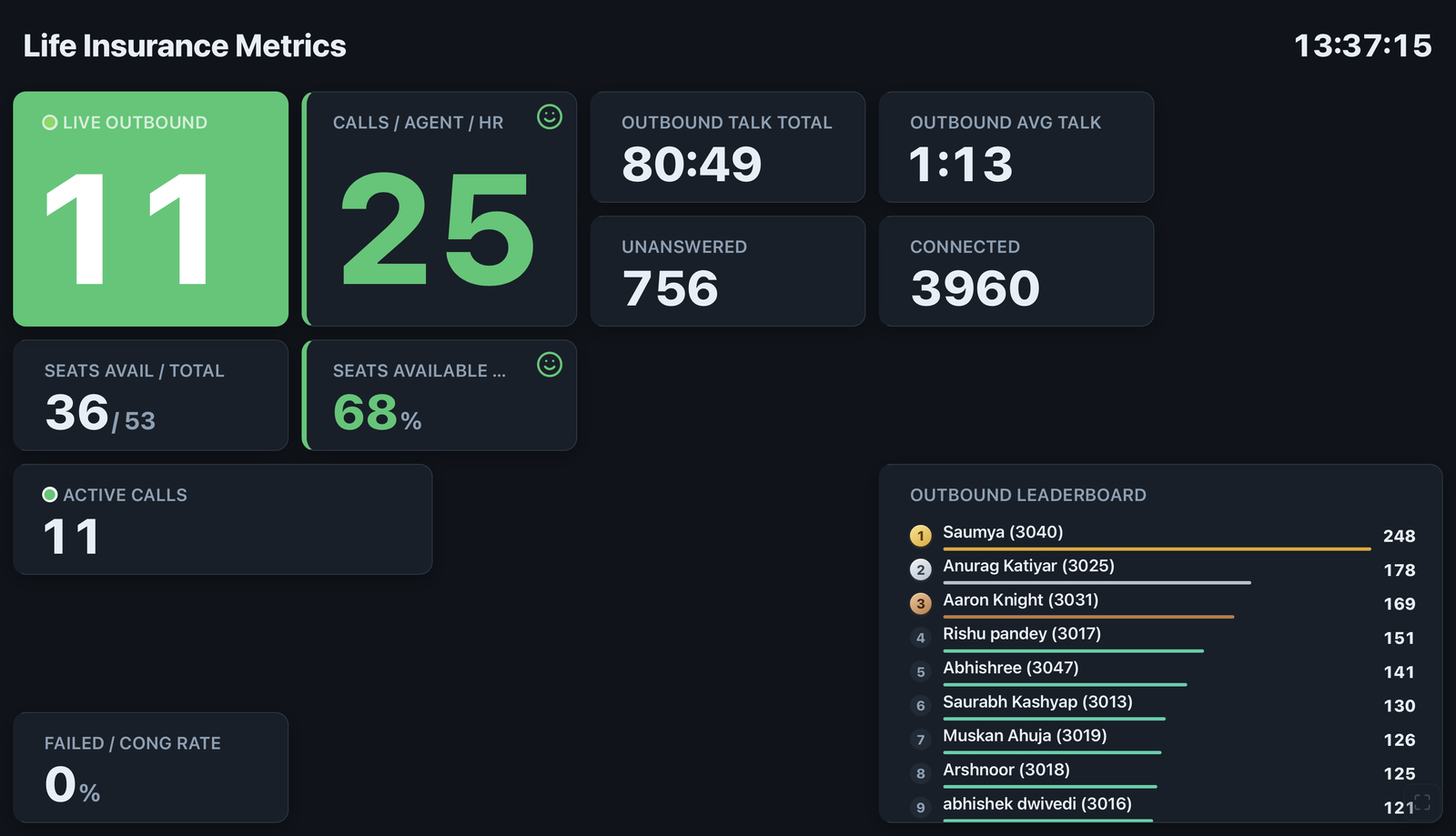
Drag any of these onto the grid, then point each one at the whole account, a queue, a ring group, a single number or one extension.
On the wall
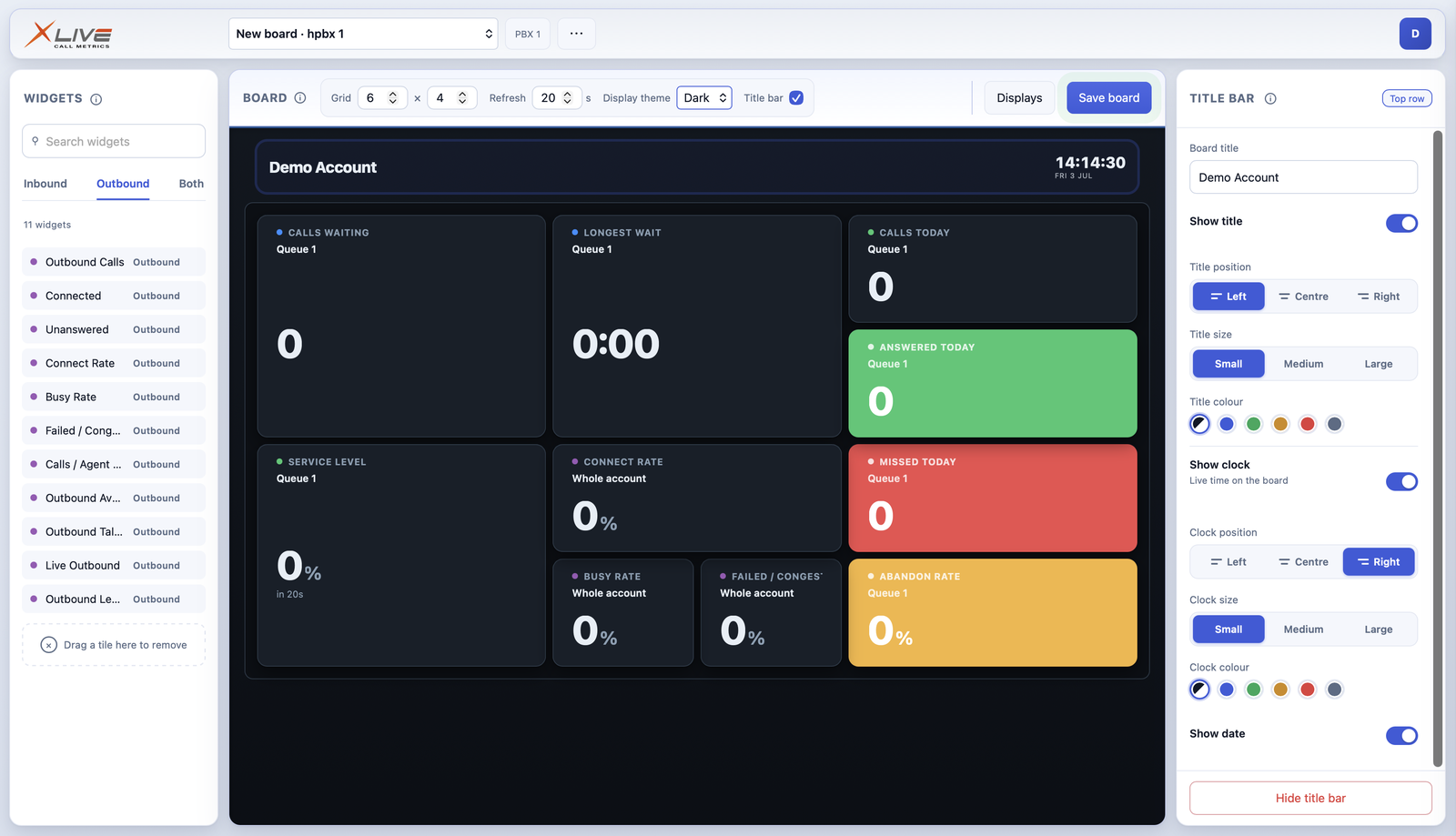
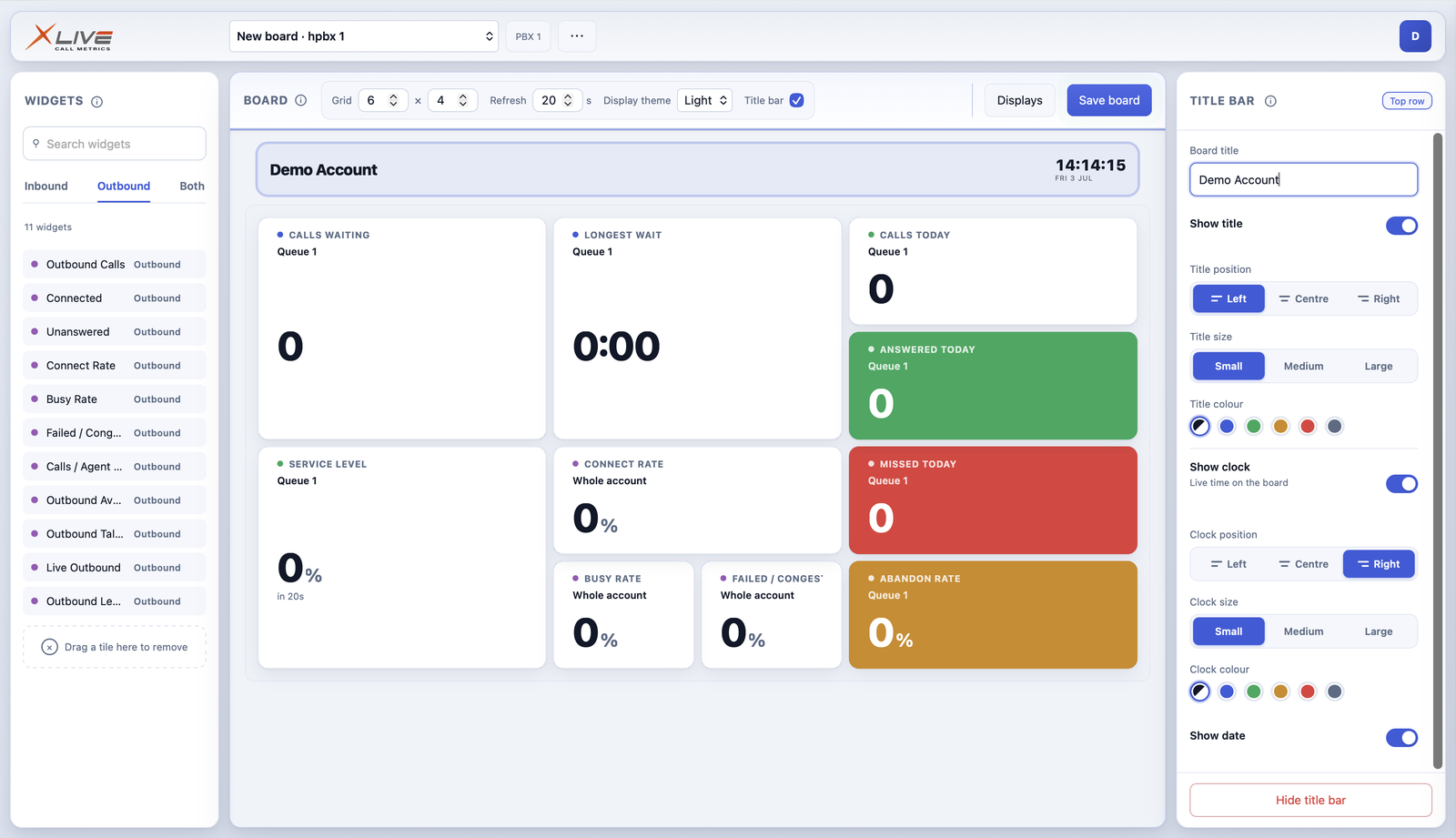
Pair a screen once and X-Live runs your board around the clock, in a light theme for the office or a dark theme for the wall.
A smart TV, a mini PC or any browser. Nothing to install.
Open a one time link once. The screen stays live for up to a year.
Big tiles and colour alarms you can read at a glance across the room.

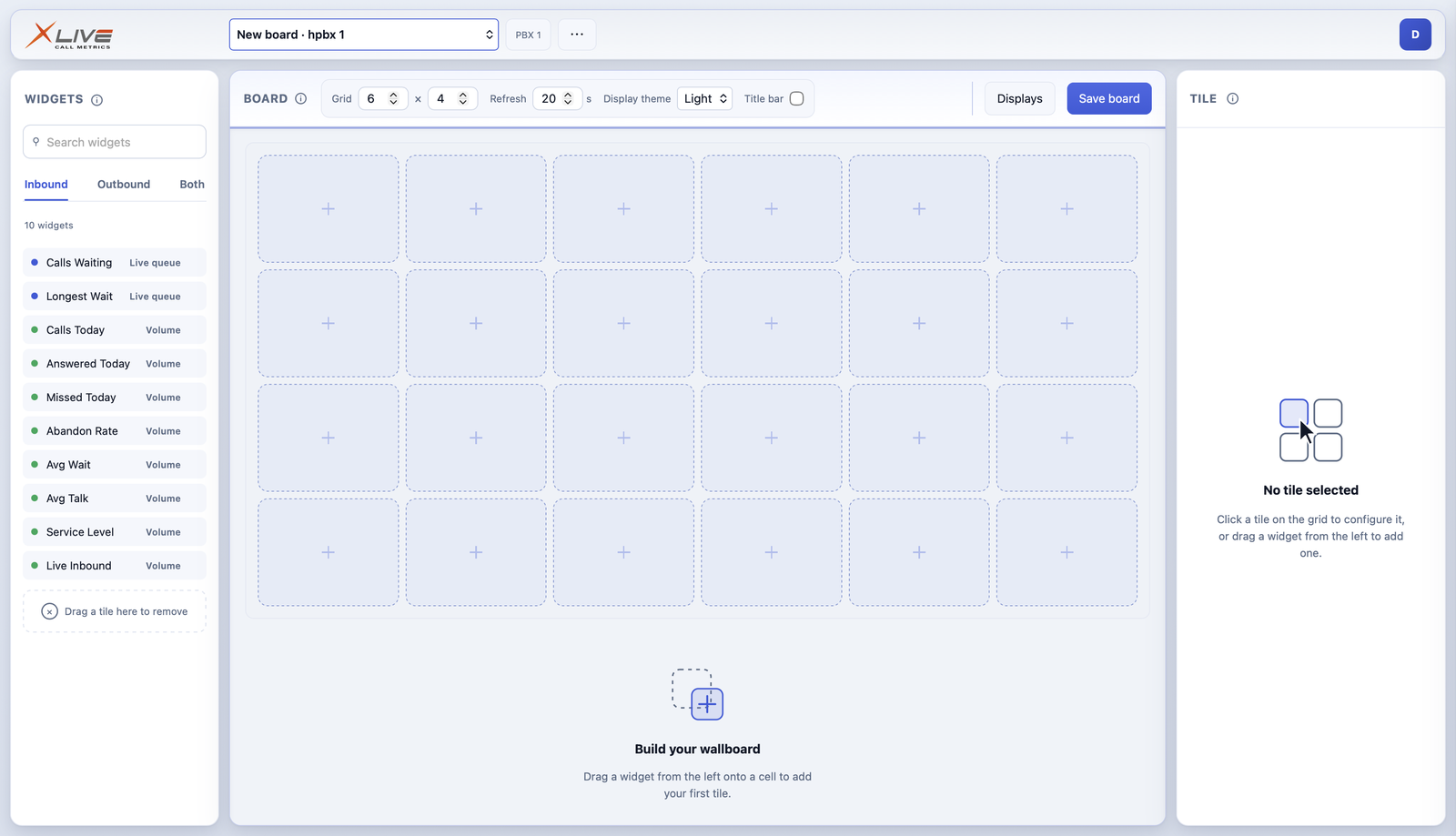
The editor
Drag tiles onto the grid, pick the stats that matter, and theme it to suit the room. Change it in real time and every display updates the moment you do.
How it works
Plug X-Live into your Cloud X platform.
Drag tiles on and pick what each one shows.
Add colour thresholds so problems stand out.
Issue a kiosk token and open it on the screen.
Questions
X-Live is built for Cloud X, our own hosted phone platform. Both are in-house products, so it plugs straight in and reads your live call data directly, with no third party connector in between.
Issue a one time kiosk token and open the pairing link once on the TV or browser. The screen pairs itself and shows the board whenever it is switched on, staying paired for up to a year and surviving restarts, with no logins on the screen.
Yes. Drag a tile, swap a stat or move a threshold, then Save, and every paired screen updates itself within a few seconds. Nothing goes live until you Save.
Point a tile at the whole account, a single queue, a ring group, one published number (a DDI) or one person's extension. Tiles come in live versions for right now and today versions that total up since midnight.
The grid goes up to 8 by 6. For a TV, aim for about 4 to 6 columns and 3 to 4 rows so the numbers stay large and readable from across the room.
X-Live comes with Cloud X. Book a demo and we will get you set up.
See X-Live running on live data. A quick demo shows you the board, the editor and the alarms in a few minutes.
Book a demo